If your Ramp for FE account includes two instances, you can easily switch between them. To do this, click the tenants icon in the upper right corner and select the instance you’d like to access.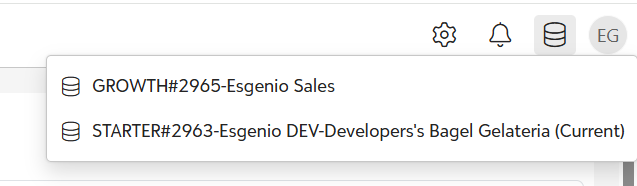
Note: If you have multiple subscriptions and don’t see the option to switch instances, please contact your account administrator. If you are the account administrator and are experiencing issues, contact helpdesk for assistance. Click Here
Was this article helpful?
That’s Great!
Thank you for your feedback
Sorry! We couldn't be helpful
Thank you for your feedback
Feedback sent
We appreciate your effort and will try to fix the article